Hidden MIDI Keyboard is a Windows app that turns your computer keyboard into a highly configurable MIDI keyboard. It’s designed for use without losing focus while working with DAWs and any software that receives MIDI data.
Unlike other virtual MIDI keyboard apps, which need to have the focus on the app window to be used, Hidden MIDI Keyboard works independently of the window/app you are working in. It’s an invisible app that can be activated/deactivated at any time with a custom key. Only the keys configured for MIDI transmission are used by Hidden MIDI Keyboard, so the remaining keys can still be used for working in the DAW.
It includes several predefined layouts but also has an editor for creating custom layouts. This allows you to create multiple virtual MIDI keyboards tailored to your needs. It’s possible to change the layout on the fly to adapt the keyboard to different stages of the workflow. For example, to switch between a standard MIDI keyboard and 4×4 percussion pads.
Check the online help for more details about the operation and configuration of Hidden MIDI Keyboard.
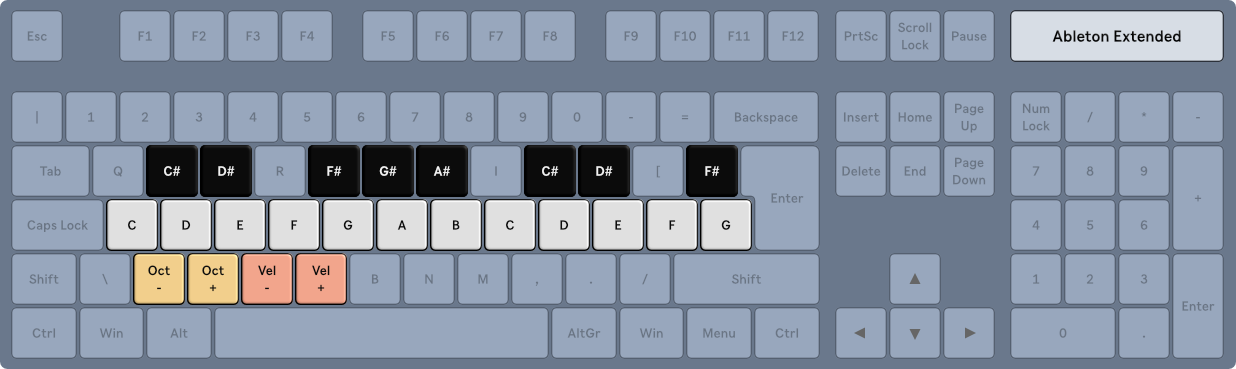
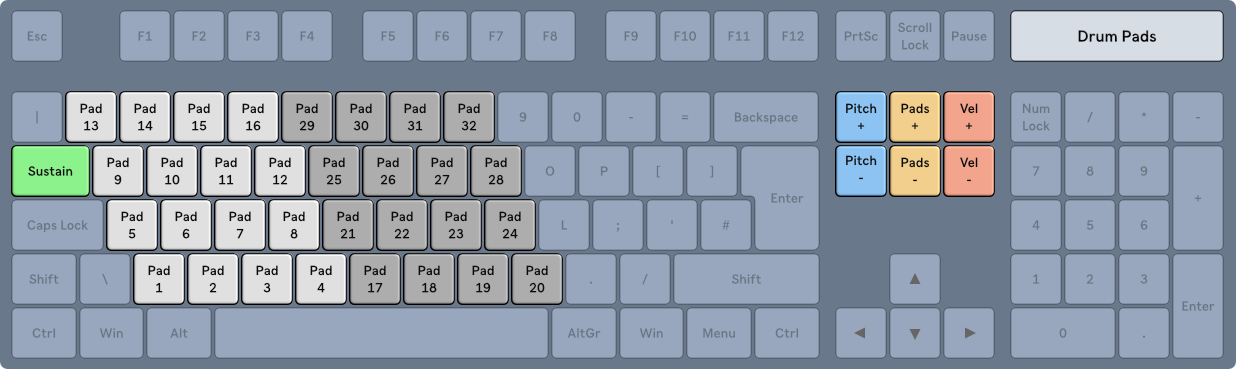
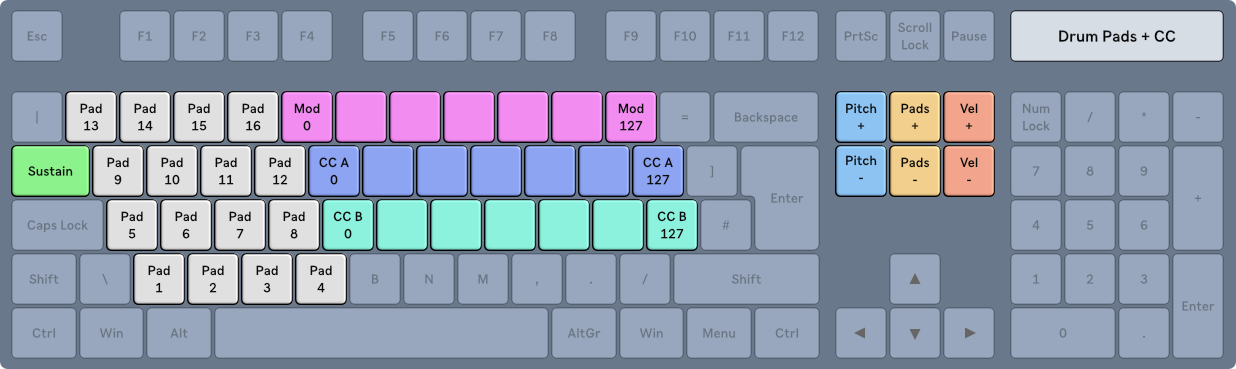
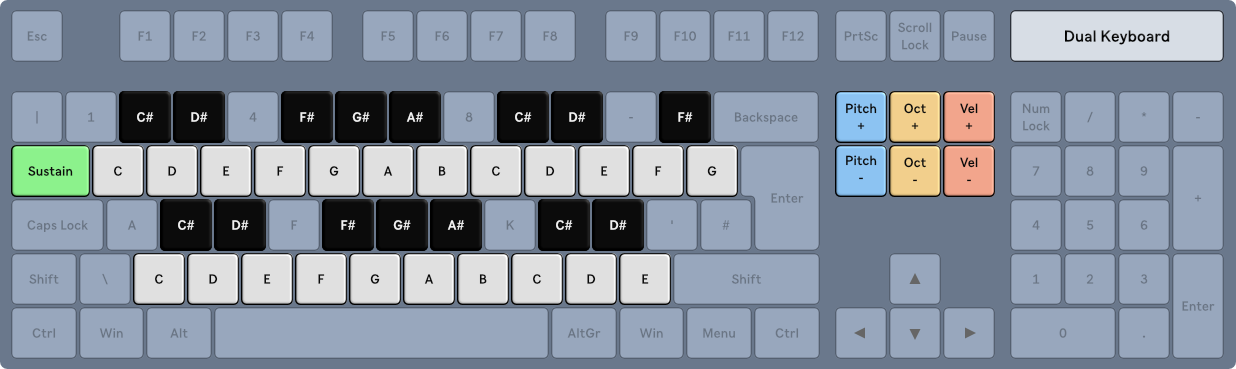
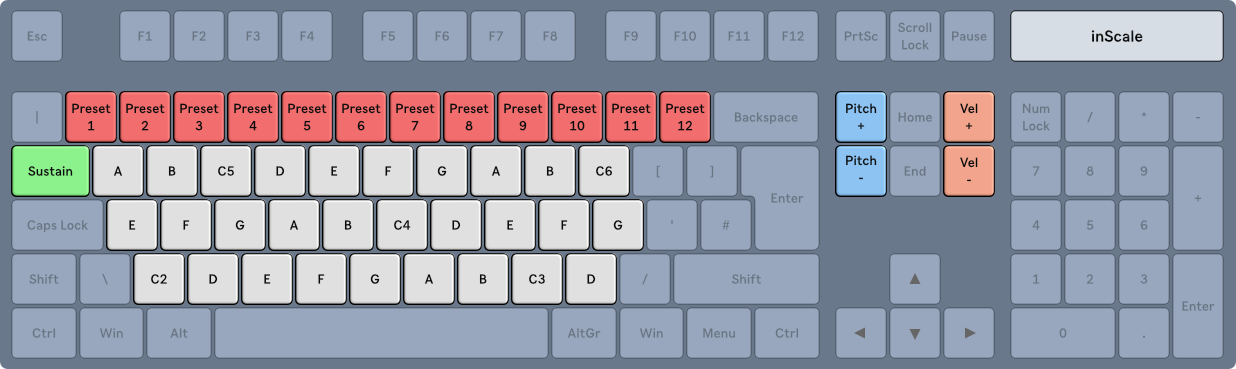
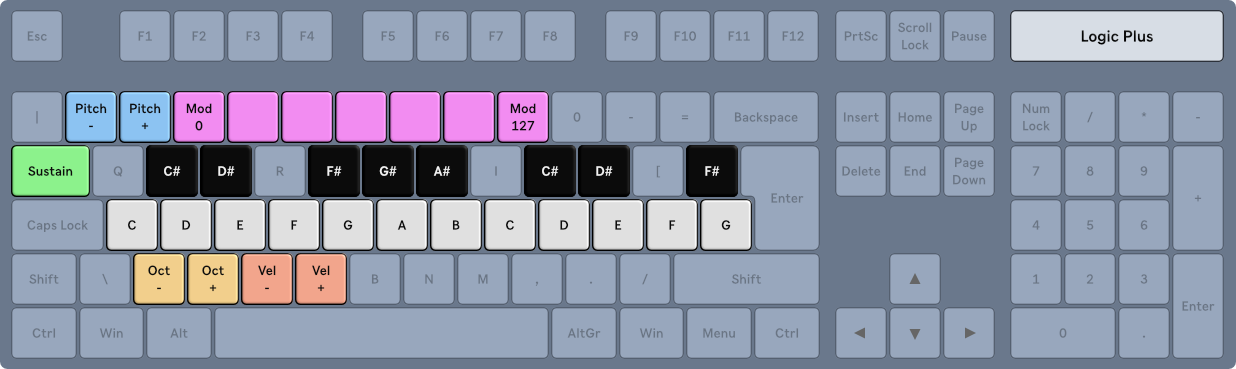
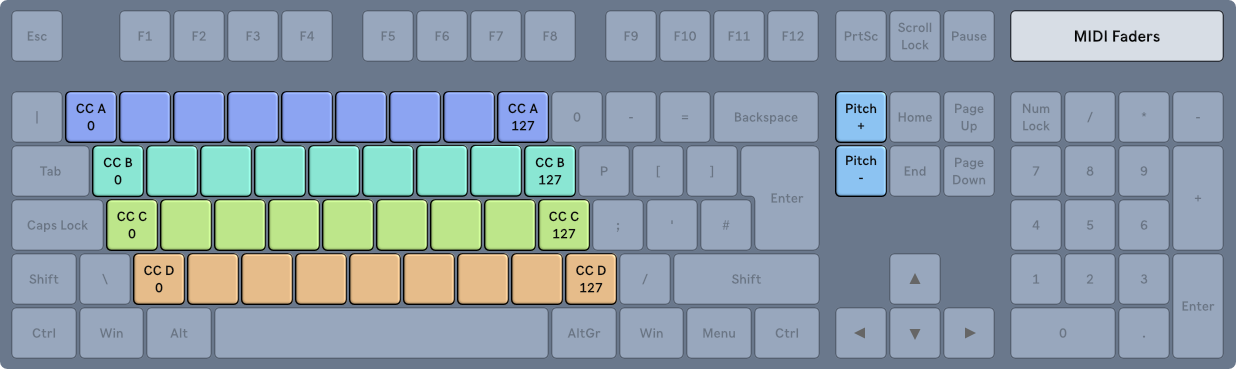
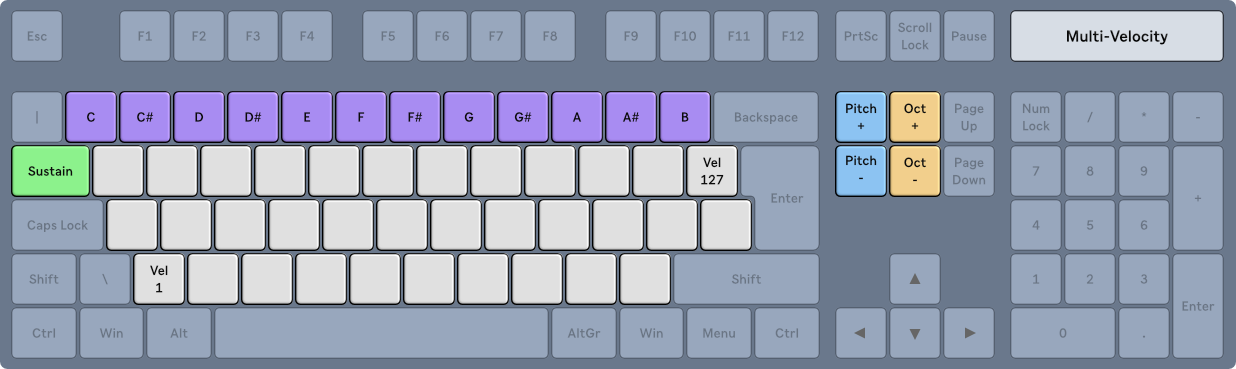
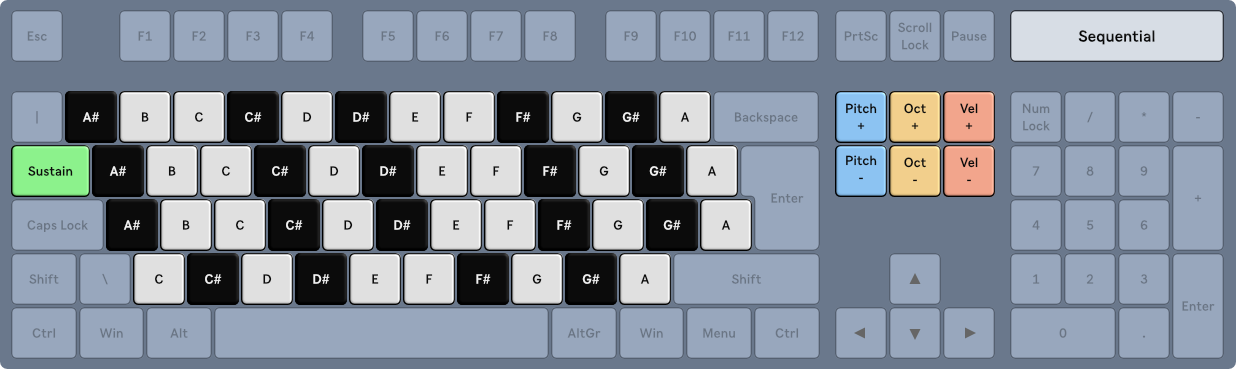
Here is a list of the predefined layouts. Note that some of them have certain keys blocked to prevent accidental keystrokes from being sent to the DAW (e.g., keys between black notes). Remember that you can create any type of custom layout. You can replicate any of the predefined layouts and adjust them to your liking.
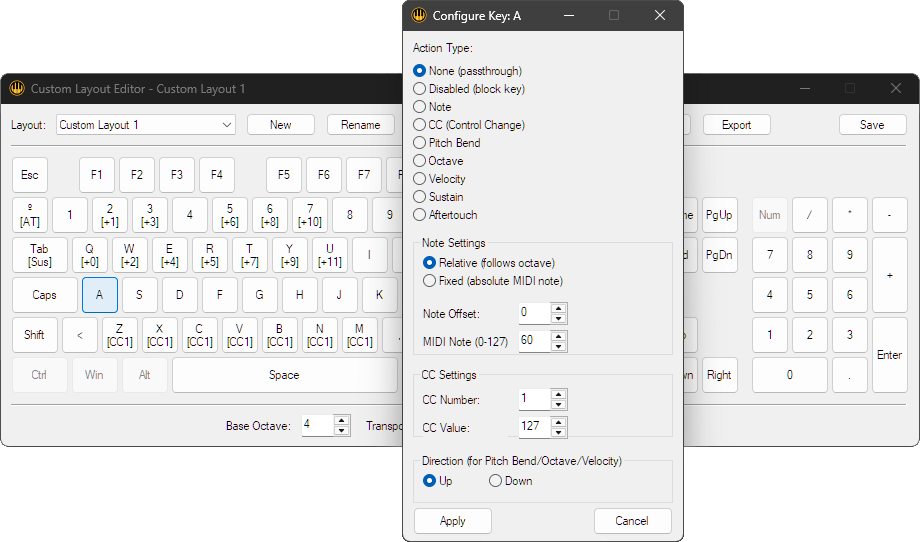
Create, edit, duplicate, delete, export and import layouts using the app’s built-in editor, where each key on the computer can be individually configured to send different MIDI data.
This allows not only the creation of MIDI keyboards, but also MIDI controllers similar to hardware controllers. Using ranges of several keys it is possible to simulate control faders that send CC messages.