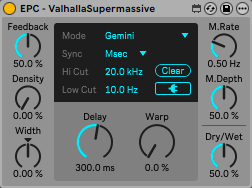
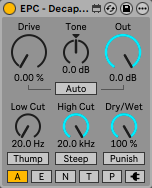
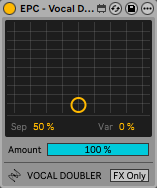
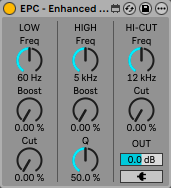
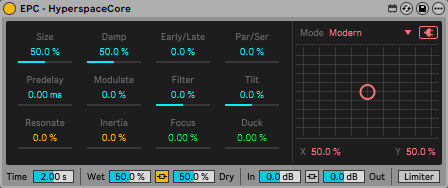
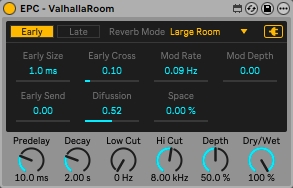
EPC Devices are a series of Max for Live devices designed to use VST plugins as if they were native Live devices. The main goal is to work with VST plugins directly from the track’s effects section, without having to open and close floating windows. Or at least minimizing the number of times they need to be displayed. This results in a more productive workflow.
Unlike other systems, such as encapsulating VST plugins within Max for Live devices, EPC devices offer several improvements for controlling VST plugins.
Perfect Communication VST <-> DAW
Each EPC device is placed next to the VST plugin and takes control of it. This way, the VST plugin is not encapsulated, and any information it sends to or receives from the DAW is not at risk of being modified or stopped. For example, latency reports to the DAW, or information when the DAW is working in export mode.
Replicated Controls
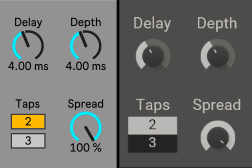
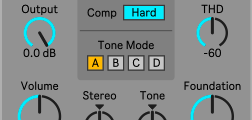
Every control in every VST plugin has been recreated using reverse engineering. This means that the controls of the EPC devices replicate the controls of the VST plugins in the same way (at least in 99% of cases). They display the actual value of the control, allowing manual entry of the value as on any Live device (by clicking and typing). They also replicate the curve of each control, so each control/knob behaves exactly like the VST plugin.
Custom Graphics Interface
The graphical interface of each EPC device is designed to match the aesthetics of Live’s devices, both in its form and its controls. It’s not a single interface for all devices (like, for example, a Live effects rack). Each interface has been designed for intuitive control.
Automation and Remote Control
Full compatibility with automation and remote control via external MIDI controllers. Even the activator button of the VST plugin is linked to the activator button of the EPC Device.
Push 3 Support
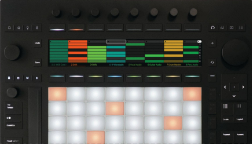
Each EPC Device is displayed in Push 3 with native-style controls using knobs and buttons. This offers significant improvements, especially for dropdown menu parameters and on/off buttons. In addition, the bank’s tabs are organized in a logical way, unlike how VST plugin controls are grouped within tabs.
Mappings in Effects Rack
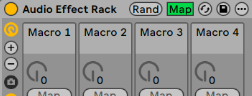
Since each EPC Device behaves the same as a native Live device, when mapped within an Effects Rack, the actual values of the VST are displayed.
Info View
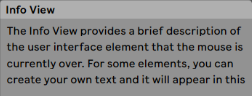
The description of each EPC Device control is displayed in Live’s Info View when you hover the mouse over it. The information is taken from the VST plugin manuals (when available).
VST Preset Changes
Although the device takes exclusive control of the VST plugin, it has a button to temporarily release this exclusive control and allow preset changes within the VST plugin. The device’s controls are then updated to reflect the preset change. Available on all EPC devices that have the Preset Mode button (as shown in the image).
Ready to Use
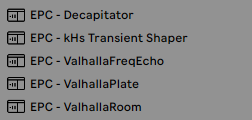
Each EPC Device comes with a pre-created preset for use in Live 12. Each preset is an effects rack containing the EPC Device and the VST plugin, already configured. So you don’t have to waste time with the VST plugin’s “Configure Mode.” Just load and use.
EPC Devices are available through a subscription system. Don’t worry, you don’t need an active subscription to use them. Once downloaded, they work indefinitely. An active subscription gives you access to downloads and updates. So you can subscribe and unsubscribe whenever you want.
My goal is to create hundreds of EPC devices. Everything will depend on the number of subscribers. The more subscribers I have, the more VST plugins I can buy to design more devices 🙂
Access to downloads is divided into the following tiers. You can subscribe for free to get the first tier and access all free EPC Devices.
Tier 1
FREE
Access to the free EPC Devices package.
Access to discount codes on special dates (like Christmas) for killihu products.
Tier 2
$10
Access to the free EPC Devices package.
Access to discount codes on special dates (like Christmas) for killihu products.
Access to downloads and updates for EPC Devices designed to control VST audio effects plugins.
Tier 3
$20
Access to the free EPC Devices package.
Access to discount codes on special dates (like Christmas) for killihu products.
Access to downloads and updates for EPC Devices designed to control VST audio effects plugins.
Access to downloads and updates for EPC Devices designed to control VST instrument plugins.
Once subscribed, you will have access to the killihu Shop members’ area. EPC Devices are offered in bundles for easier downloading and are generally grouped by the VST manufacturer. The download page for each bundle indicates the required tier for access.
Requirements
Ableton Live 12
(updated to the latest version to be able to load presets) *
Max for Live 9
(included in Live Suite or as an additional purchase for Live Standard) *
VST3 Plugins
(or VST2 when VST3 is not available. AU not supported) **
* EPC Devices can also work in earlier versions of Live along with Max 8. The presets will not work, as they are created for Live 12. In that case, each parameter in the VST rack’s Configure Mode must be added/reordered manually and then create a new preset.
** Some AU plugins have parameters in the form of a drop-down menu. These parameters are not controllable from the EPC Devices. For AU plugins that only have sliders, it is possible to use the EPC Devices. Just make sure that the order of the parameters in the plugin’s rack’s Configure Mode is the same as in the supplied preset. Although… Does AU offer any performance advantage over VST? The answer is no.
About killihu
I am an audio developer focused primarily on developing resources for Ableton Live. I work in collaboration with various producers to get ideas and create new tools related to music production. Feel free to contact me if you have any questions or suggestions.