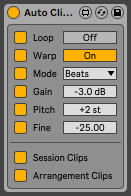
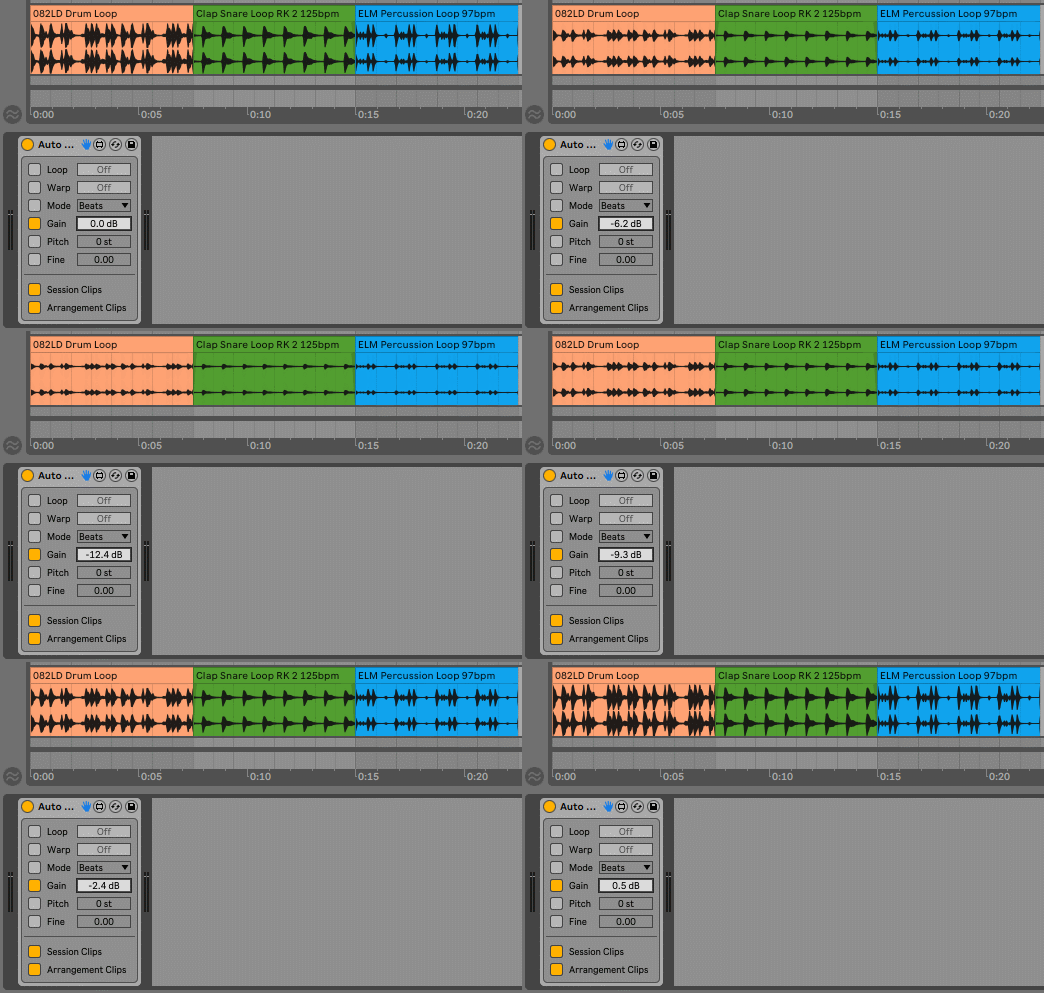
This device automatically sets the properties of all clips on the track. This includes both existing clips and new clips dragged or recorded to the track.
For example, you can use multiple instances of the device on different tracks to automatically adjust the warping of clips you add. So that the Warp Mode of the percussion track clips is in Beats, the instrument track clips in Complex, or the track where you record vocals has the clips with warping disabled.
Values assigned to clips are total, not relative. If you set the Gain to -6.0 dB you will not reduce the volume of each clip by 6 dB, all clips will have a value of -6 dB.
So the use of the device is recommended for initial tasks in which content is added to the project. Then, when you start developing your project, you can turn off the device to independently adjust the volume of each clip.
Buy Auto Clip Props now and get the latest version. Then later, all future updates free.
REQUIREMENTS
CHANGELOG
LICENSE
REQUIREMENTS
Ableton Live 11 / 12 with Max for Live
CHANGELOG
v1.0 – Initial release
LICENSE
Personal license (you have no permission to share)
About killihu
I am an audio developer focused primarily on developing resources for Ableton Live. I work in collaboration with various producers to get ideas and create new tools related to music production. Feel free to contact me if you have any questions or suggestions.